This site contains affiliate links. I may earn a commission if you purchase through these links. Thank you for being so supportive!
You’ve poured your heart into creating the perfect coffee shop. Your espresso is dialed in, your pastries are Instagram-worthy, and your baristas know regulars by name.
But when iPhone users near your location ask Siri, “coffee shop near me,” does your business appear?
If not, you’re invisible to millions of potential customers.
Apple Maps powers over 1 billion devices worldwide. Yet most coffee shop owners focus exclusively on Google while ignoring Apple’s platform entirely. That’s a costly mistake.
This guide shows you exactly how to rank on Apple Maps for coffee shops using strategies
I’ve developed my skills while reviewing over 150 coffee shops across New York City. The best coffee in the world doesn’t matter if customers can’t find you.
Explore the coffee directory
Want to see how real coffee shops turn these strategies into sales?
Why Apple Maps Matters for Coffee Shops in 2026
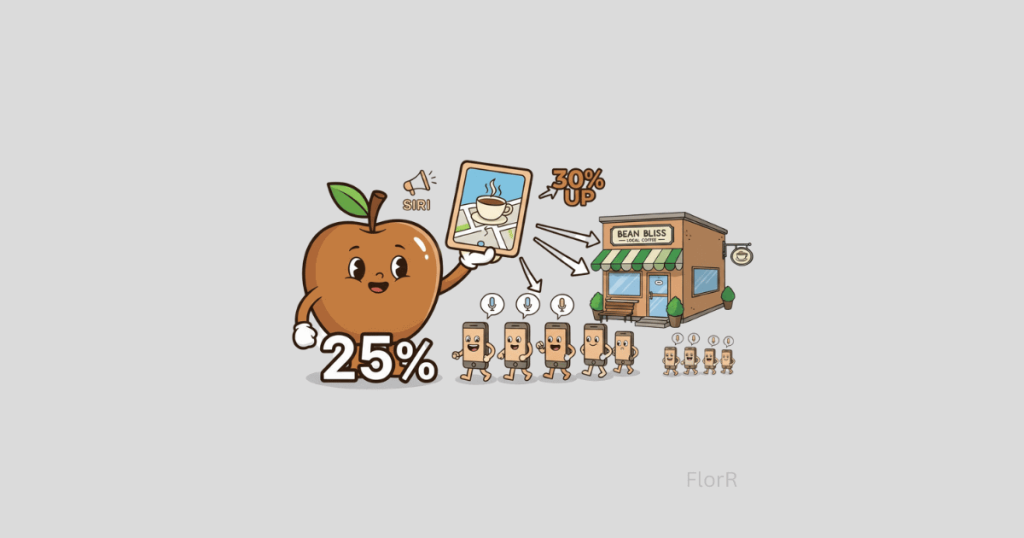
Apple Maps commands 25% of the mobile map market. In iOS 18, Apple integrated Maps even deeper into search, Siri, and Apple Intelligence features.
When someone uses voice search, which 71% of mobile users now prefer, Apple Maps results appear first for iPhone users.
The conversion rates tell the story. Apple Maps users convert 30% higher than general search traffic because they’re actively seeking local businesses right now.
Independent coffee shops have a particular advantage here. Apple’s algorithm favors small businesses over chains in its ranking factors.

Commercial Coffee Brewers

commercial Blenders

CHEMEX for your Café
Understanding How Apple Maps Rankings Work
Apple’s algorithm evaluates your coffee shop across several key factors:
Relevance measures how well your business information matches what customers search for.
Distance from the searcher’s location matters tremendously. This is hyperlocal SEO at its finest.
Prominence looks at how well-known your business is both online and offline. Reviews, citations, ratings, and even foot traffic all factor into this.
Unlike Google My Business, which prioritizes review quantity, Apple weighs review quality more heavily.
Apple Maps vs Google Maps: Key Differences for Coffee Shops

Understanding these differences helps you optimize effectively for each platform.
Review Sources
Apple Maps pulls reviews from third-party platforms like Yelp, TripAdvisor, and industry-specific sources. You don’t manage reviews directly in Apple Maps; you manage them on the source platforms.
Google Maps has its own native review system through Google Business Profile. Customers leave reviews directly on Google, and you respond directly within the platform.
Algorithm Focus
Apple Maps ranking factors include:
- Business information accuracy (NAP consistency)
- Third-party review ratings from partner sites
- User engagement (directions, calls, messages)
- Regular listing updates via Apple Business Connect
Google Maps ranking factors include:
- Google Business Profile completeness
- Review quantity and rating average
- Proximity to searcher
- Keyword optimization in descriptions
- Website authority and backlinks

cOFFEE HOODIES

COFFEE T-SHIRTS
EMBROIDERY
Platform Integration
Apple Maps is pre-installed on all iOS devices and powers Siri searches. It integrates with CarPlay and Apple Watch, making it the default choice for iPhone users who don’t actively download alternatives.
Google Maps is available on both iOS and Android, dominates Android devices, and works across web browsers. It has broader cross-platform reach.
Advertising Options
Apple Maps offers no paid advertising. Rankings are 100% organic based on your optimization efforts.
Google Maps allows paid placement through Local Services Ads and Google Ads with location extensions.

V60 Coffee Maker
COFFEE SCALE
CHEMEX
Management Tools
Apple Maps is managed through Apple Business Connect, which offers:
- Basic business information
- Showcases for promotional content
- Direct messaging with customers
- Limited analytics
Google Maps is managed through Google Business Profile, which offers:
- Detailed business information
- Google Posts
- Q&A features
- Booking and reservation integrations
- Robust analytics and insights
The Bottom Line for Coffee Shops
Don’t choose between them, optimize for both. Your Google My Business optimization captures Android users and web searches. Your Apple Maps optimization captures iPhone users who rely on the default navigation app.
Together, they ensure maximum visibility across all devices and platforms.
How to Rank on Apple Maps for Coffee Shops: Step-by-Step Strategy

Step 1: Claim and Verify Your Apple Maps Business Listing
How to rank on Apple Maps for coffee shops starts with the basics: claiming your listing.
Visit Apple Business Connect (https://register.apple.com/business) and sign in with your Apple ID.
Here’s what you need ready:
- Your exact business name as it appears on your storefront
- Your physical address with precise location pins
- Your primary phone number (use local numbers, never toll-free)
- Your business hours, including special holiday hours
- High-quality photos of your storefront, interior, and products
Critical: Pin Placement. Drop the pin exactly at your front door. I’ve seen coffee shops lose ranking simply because their pin was 50 feet from their actual entrance.
Verification takes 3-5 business days. Once verified, you control your listing.
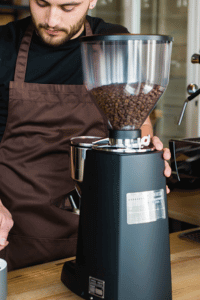
High-Output Commercial Coffee Grinder – Barista-Grade Consistency
Equip your café with a commercial grinder engineered for speed, consistency, and nonstop service. Designed for high-volume coffee shops that need precise grind size, powerful motors, and reliable performance every day. Explore top grinders trusted by professionals.
Step 2: Optimize Your Business Information
Complete information ranks higher. Period.
Business Categories
Your primary category must be “Coffee Shop” or “Cafe.” Choose secondary categories strategically:
- “Breakfast Restaurant” if you serve morning food
- “Bakery” if you make pastries in-house
- “Espresso Bar” if you specialize in espresso drinks
Business Description
You get 750 characters. Write for humans first, then optimize for search.
Include natural mentions of what customers search for:
- Specialty drinks (cortados, pour-overs, cold brew)
- Food offerings (avocado toast, pastries, sandwiches)
- Amenities (outdoor seating, WiFi, outlets)
Avoid marketing speak. “We roast beans on-site every Tuesday morning” sounds human. “Artisanal craft coffee experience” sounds like AI wrote it.
Photos That Rank
- High-quality exterior shot showing your storefront
- Interior shots showcasing ambiance
- Close-ups of signature drinks
- Food offerings
- Logo as a square image (at least 1024×1024 pixels)
Upload photos directly through Business Connect. Take photos during golden hour for natural lighting.
Step 3: Build Review Quality and Quantity

How to rank on Apple Maps for coffee shops hinges significantly on your review profile.
Apple emphasizes review depth and recency over volume. A detailed review posted yesterday outweighs a star rating from six months ago.
Getting More Apple Maps Reviews
Train your baristas with a simple script: “If you enjoyed your visit today, we’d appreciate if you shared your experience on Apple Maps.”
Best practices:
- Ask after they’ve expressed satisfaction
- Create QR codes linking directly to your review page
- Print QR codes on receipts and table tents
- Follow up with regulars who give verbal praise
Never offer discounts for reviews. Apple detects and penalizes this.
Responding to Reviews
Respond to every review within 48 hours. Apple’s algorithm tracks response rate.
For positive reviews: Keep responses short and personal. Reference specific details they mentioned.
For negative reviews: Respond professionally, acknowledge their experience, offer to make it right, and take the conversation offline.
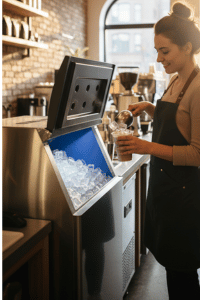
Commercial Ice Machine for Coffee Shops – High-Capacity Ice Production
Keep your café running smoothly with a commercial ice machine designed for high-demand beverage service. Fast production, dependable performance, and built for daily café operations. Explore top-rated models perfect for iced coffees, cold brews, and blended drinks.
Step 4: Build Location Signals for Apple Maps Ranking
Apple Maps relies heavily on location data. This connects directly to your broader local SEO strategy.
Citations and NAP Consistency
Your business name, address, and phone number (NAP) must be identical across every online directory.
Audit your presence on:
- Yelp
- Facebook Business Page
- Instagram Business Profile
- Foursquare
- TripAdvisor
- Food delivery apps (Uber Eats, DoorDash, Grubhub)
Every inconsistency dilutes your ranking power.
Local Link Building
Get mentioned on local blogs, news sites, and community websites. Partner with nearby businesses for cross-promotion.
This strategy connects to broader geo-targeting SEO principles.

Commercial Under-Counter Fridge – Built for Daily Coffee Shop Operations
Optimize your coffee shop with a commercial under-counter refrigerator designed for speed, efficiency, and tight spaces. Perfect for milk, syrups, and quick-access ingredients. Built for busy cafés that need reliable cooling all day. Explore top-rated models made for professional service.
Step 5: Leverage Apple’s Unique Features
Showcases
Create visual collections highlighting:
- Seasonal drink menus
- Morning rush specials
- Weekend brunch offerings
- Coffee beans for retail purchase
Update showcases monthly. Fresh content signals an active business.
Messages
Enable direct messaging through Apple Maps. Set up automatic responses for common questions:
- “What time do you open?” → “We open at 7 AM weekdays and 8 AM weekends!”
- “Do you have WiFi?” → “Yes! Free WiFi perfect for remote work.”
I’ve seen messaging increase foot traffic by 15-20%.
Actions
Add custom actions:
- “Order Online”
- “View Menu”
- “Call Now”
Every click tells Apple your listing is useful and relevant.
Step 6: Optimize for Voice Search on Apple Devices
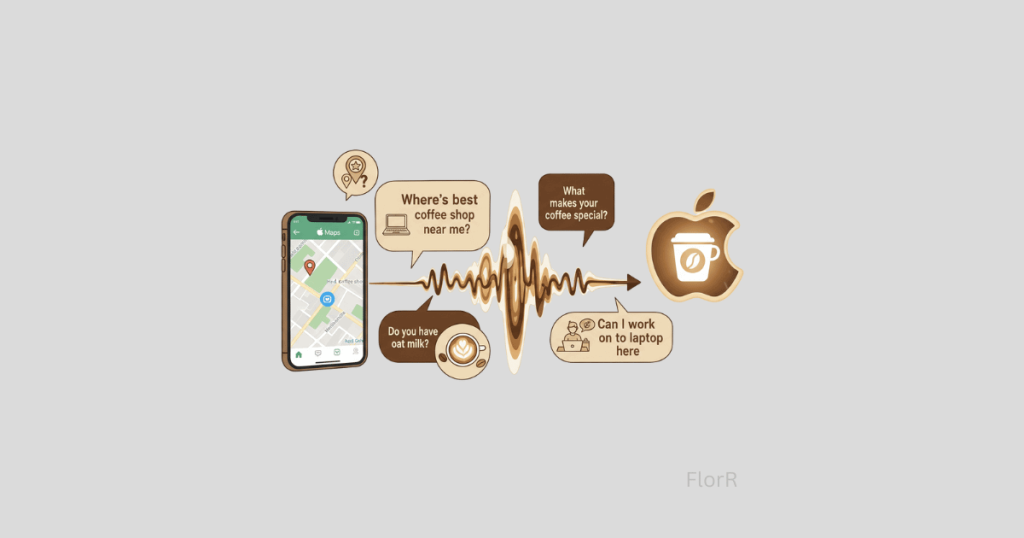
Voice search through Siri directly pulls from Apple Maps.
People don’t talk the way they type. Voice searches sound like: “Siri, where’s the best coffee shop near me?” or “Find a coffee shop with WiFi.”
Include conversational phrases naturally:
Instead of “WiFi available,” write “We offer free WiFi perfect for remote work.”
Answer questions customers actually ask:
- “What makes your coffee special?”
- “Do you have oat milk?”
- “Can I work on my laptop here?”
This optimization works hand-in-hand with your voice search strategy across platforms.
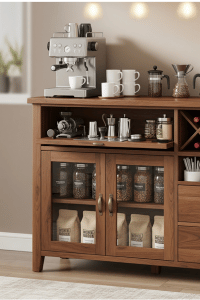
Modern Coffee Shop Furniture
Contemporary coffee shop furniture is designed for style and comfort. Create an inviting, elegant space where customers can relax, connect, and enjoy every cup in a modern atmosphere.
Step 7: Monitor Performance and Adjust
Apple Business Connect provides analytics.
Track These Metrics:
- Views: How many people saw your listing
- Actions: Direction requests, phone calls, website clicks
- Photos viewed: If your visual content resonates
Compare month-over-month. Look for patterns.
Seasonal Adjustments:
- Summer: Add “Iced Coffee” and “Cold Brew” showcases
- Winter: Highlight “Cozy Indoor Seating” and “Hot Chocolate”
Seasonal optimization helps you rank for what customers are searching for right now.
Common Mistakes That Hurt Apple Maps Rankings

Treating It Like Google My Business
Apple’s algorithm is different. What works on Google doesn’t always work on Apple.
Inconsistent Information
Your address says “Street” on Apple Maps but “St.” everywhere else. These inconsistencies hurt rankings.
Ignoring Reviews
Not responding signals you don’t care about customer feedback.
Poor Photo Quality
Dark, blurry photos don’t cut it anymore. Invest in decent photography.
Set It and Forget It
Your listing from 2022 with outdated hours tells Apple your business might be closed.
Keyword Stuffing
Adding “best coffee shop near me, cheap coffee, espresso” to your business name gets you penalized.

HIGH TABLE
With Stools

LONG TABLE
With Stools

BLACK TABLE
With Chairs
Your Action Plan: How to Rank on Apple Maps This Week
Day 1: Claim your Apple Business Connect listing
Day 2: Complete every field. Add 10+ high-quality photos
Day 3: Audit your NAP consistency across all directories
Day 4: Train staff to ask for reviews. Create QR codes
Days 5-7: Respond to all reviews. Create your first showcase
Ongoing: Update monthly, respond to reviews within 48 hours, add photos quarterly
Coffee shops I work with that follow this system see increased foot traffic within 30 days. Some report Apple Maps becoming their #2 source of new customers.
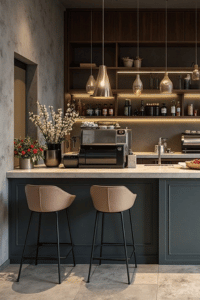
Modern Café Stools – Stylish Comfort for Coffee Shops & Homes
Upgrade your space with Modern Café Stools – sleek, durable, and designed for comfort. Perfect for coffee shops, kitchens, and bars. Blend style and function for the ultimate seating experience
Final Thoughts
Understanding how to rank on Apple Maps for coffee shops isn’t complicated, but it requires consistent effort. You can’t set up your listing once and forget about it. Algorithms reward businesses that stay active and engaged.
Every time a customer walks through your door because they found you on Apple Maps, that’s validation of this work. Your coffee deserves to be found. I think your business should be found. Make Apple Maps work for you starting today.
Alternative contact:
📧 Email: Admin@byflorr.com
Want proof I know NYC coffee? Browse my NYC Coffee Directory where I review independent shops across all five boroughs.
Every day you’re not in the Local 3-Pack, competitors are capturing customers actively searching for exactly what you offer. Let’s change that.
Own a coffee shop? See how you compare.
Explore real coffee shops applying the strategies you just learned—then add your café to the directory to get discovered by customers searching by location.
FAQs
How long does it take to rank on Apple Maps for coffee shops?
Most coffee shops see initial improvements within 2-4 weeks after optimizing their listing. Full ranking potential typically takes 2-3 months of consistent optimization.
Your timeline depends on neighborhood competition, existing reviews, and listing maintenance. Coffee shops in less competitive areas rank faster than those in saturated markets like Manhattan.
Does Apple Maps work the same as Google My Business?
No. While both use location-based algorithms, Apple Maps weights review quality over quantity. Apple also integrates more deeply with Siri and voice search.
User behavior differs, too. Apple Maps users typically have higher purchase intent because they’re using the default app while actively searching.
How many reviews do I need to rank on Apple Maps?
There’s no magic number. Twenty detailed, authentic five-star reviews will outperform 100 generic ratings.
Focus on reviews that mention specific details, barista names, favorite drinks, atmosphere, WiFi quality, or food offerings. These signal authenticity to Apple’s algorithm.
Can I pay to rank higher on Apple Maps?
No. Apple doesn’t offer paid advertising within Apple Maps like Google does. Rankings are purely organic. This benefits independent coffee shops because you compete on equal footing with chains. Quality optimization wins.
Should I optimize for Apple Maps if I already rank on Google?
Yes. They’re different audiences with different behaviors. Apple Maps reaches 25% of mobile searches. Many iPhone users never switch from default Apple Maps to Google Maps.
If you’re not visible on Apple Maps, you’re invisible to millions walking past your shop daily.
How do I get my menu to show on Apple Maps?
Add menu items through Apple Business Connect. Go to your dashboard, select “Menu,” and add items with descriptions and prices. Include popular items like lattes, cappuccinos, cold brew, and pastries. Update seasonally.
What’s the best way to ask customers for Apple Maps reviews?
Ask in person at the point of satisfaction. When a customer says, “This latte is perfect!”, respond with: “That’s wonderful! If you have a moment, we’d really appreciate it if you shared that on Apple Maps, it helps other coffee lovers find us.”
Make it easy with QR codes on receipts.
Do photos really affect Apple Maps rankings?
Absolutely. Coffee shops with 10+ high-quality photos rank noticeably higher than those with 2-3 images. Photos also increase engagement; listings with great photos get 40% more direction requests.
Focus on natural lighting and showcase your signature drinks.
How often should I update my Apple Maps listing?
Update basic information immediately when it changes. Add new photos quarterly. Update showcases monthly for seasonal offerings. Respond to reviews within 48 hours. Check analytics weekly. The algorithm rewards active businesses.
Will Apple Maps help my coffee shop compete with Starbucks?
Yes. Apple’s algorithm favors independent businesses in certain ranking factors. Your authentic reviews, local connections, and unique offerings give you advantages.
By optimizing properly, you can outrank chains in your immediate neighborhood when people search “coffee shop near me” while standing on your block.